
Paper Practice
Print math that fits your child exactly. They solve it with a pencil. You snap a photo, check what Bobby read, and save — and it all counts toward their progress.
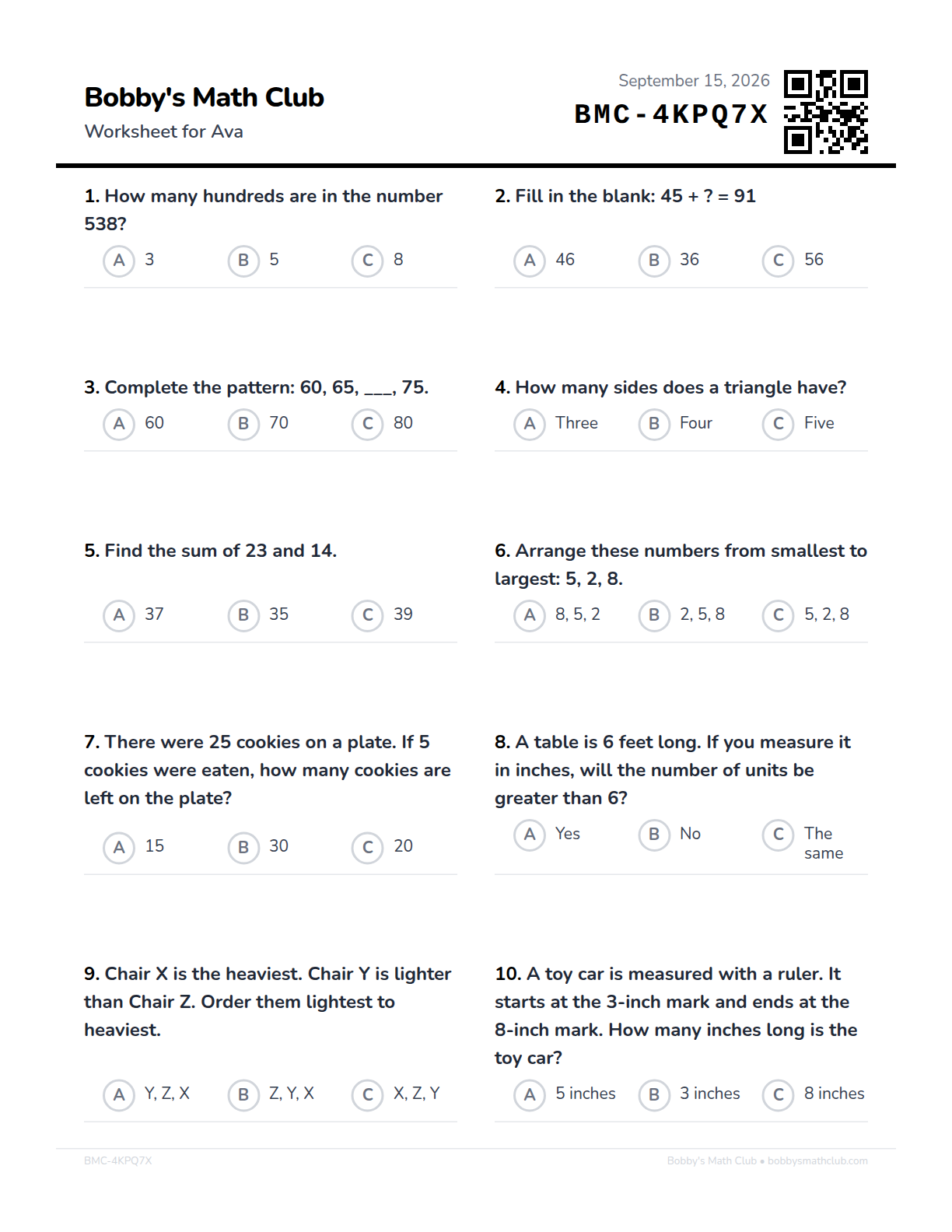
This is one sheet
Ten problems, one page, nothing to cut out or assemble. Every question is chosen for the child whose name is at the top — so two kids in the same house get different sheets, and the same child gets a different sheet next week.
That short code in the corner is how the whole thing works. It tells Bobby exactly which ten problems are on the page in front of him, which is why you can print a stack on Sunday and photograph them back in any order you like.
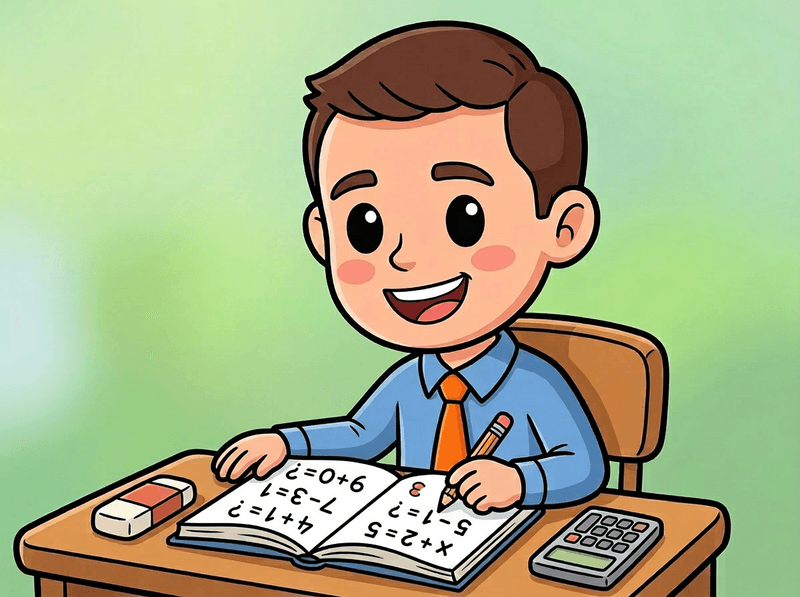
Why paper?
When Bobby was in kindergarten, his parents bought him a book of math problems, and he sat with his dad and worked a few every day. That book is the reason this whole club exists.
Bobby's Math Club lives on a screen because that's what lets the practice adapt to your child. But a pencil, a page, and a parent nearby is still one of the best ways a young kid can learn math — and until now, we couldn't give you that.
It all still counts
Once you've checked and saved a sheet, it counts toward your child's levels and their days practiced, just like practice in the app. Paper isn't a side activity — it's the same club, on a different surface.
Every sheet fits your child
These aren't generic grade-level worksheets. Bobby pulls problems at your child's current level across all four math areas, leaning toward whatever they're finding hardest right now, and steering away from anything they've just answered.
Pencils build something screens don't
Forming numbers, working down a page, sticking with a problem when there's no button to tap. It's also the format your child will meet at school, so a little practice on paper goes a long way.
It goes where screens don't
Car rides, restaurants, waiting rooms, flights, grandparents' houses, screen-free evenings. Print a few sheets on Sunday and you've got math for the week in your bag.
How it works
Four steps, a few minutes of your time.
1. Print
Open your parent dashboard, tap Paper Practice on your child's card, and hit print. Each sheet holds ten problems made for your child at their current level, multiple choice or write-in — no worksheet packet to buy, no grade-level guessing. Have more than one child? Print for all of them at once.
2. Solve
Your child works through the page with a pencil, wherever you are. No tablet, no timer, nobody looking over their shoulder. Multiple choice for younger kids; free response once they can write their answers.
3. Snap
Take a photo of the finished page with your phone. Bobby reads the answers straight off the paper. Printed for several children? Photograph the whole stack and the sheets sort themselves out by the code in the corner.
4. Check and save
In a few seconds you see what Bobby read for every answer. Look it over against the paper, tap any answer he got wrong, then hit "Looks right — save". Nothing counts until you do, and a sheet you aren't ready to check will wait for you.
One thing worth knowing: a printed page can't adjust itself the way the app does, because it's already on your kitchen table. So Bobby builds each sheet to span the range your child would cover in a session — a few gentler problems to start, a few that stretch them. If a sheet lands too easy or too hard, that's genuinely useful to know, and we'd love to hear about it.
What you can print
Everyday practice is ready now. Two more are on the way.
Paper Practice
Everyday practice, on paper
One page, ten problems, across all four math areas and weighted toward whatever your child is working hardest on right now. Print one, or print five at a time for the week. A new sheet is genuinely new, not a repeat of the last one. Multiple choice or write-in, whichever suits your child — the setting sits right above the Generate button.
Paper Diagnostic
Coming soonFind out where they are
The placement test, on paper, for kids who do their best thinking away from a screen.
Paper Growth Check
Coming soonSee how far they've come
The periodic re-check, on paper, so you can see their growth without handing over a tablet.
Questions parents ask
Do I need a scanner?
No. Any printer and any phone camera will do. You photograph the page the same way you'd photograph a receipt — Bobby handles the rest.
What if the photo is blurry, or my child's handwriting is messy?
You check every answer before it counts, so a misread never reaches your child's progress. Answers Bobby wasn't sure about get a small amber dot, and you can fix any of them with a tap. If the photo is too hard to read, take it again.
Does paper practice actually count?
Yes, once you've checked the answers and saved. A saved sheet counts toward your child's levels and their days practiced, the same as practice in the app.
Multiple choice or free response?
Multiple choice is the default — younger kids circle a letter. Free response asks them to write the answer themselves, which is worth switching to once your child can write numbers comfortably. You can set a preference per child, so it's there next time.
Should we stop practicing on the screen?
Please don't! The app adapts problem by problem, which paper can't do once it's printed. Think of paper as the version for car rides, restaurants, screen-free evenings, and grandma's kitchen table — the two work on exactly the same progress.
What happens to the photo?
It's stored privately against your own account, visible only to you and a co-parent you've invited. It's used to read the sheet and to let you look back at it later — nothing else.
Go print something
Join the club, add your child, and their first sheet is a couple of taps away.