

Some families want math time to be pencil and paper only. Maybe your child gets plenty of screen time already, or you just like a page of problems on the kitchen table. You handle the screen, and your child learns the math.
As a parent myself, I built the paper practice feature because I wanted my own kids to build math skills without staring at my phone or tablet. It works for us, and here's how it can work for you too.
1. Find their level on paper
Every child should start right where they're ready to grow. Our paper placement test finds your child's starting level in each area of math, so the worksheets that follow feel just right. Not too easy, and not too hard. It's free, and you don't need an account to take it.
Print the free placement test
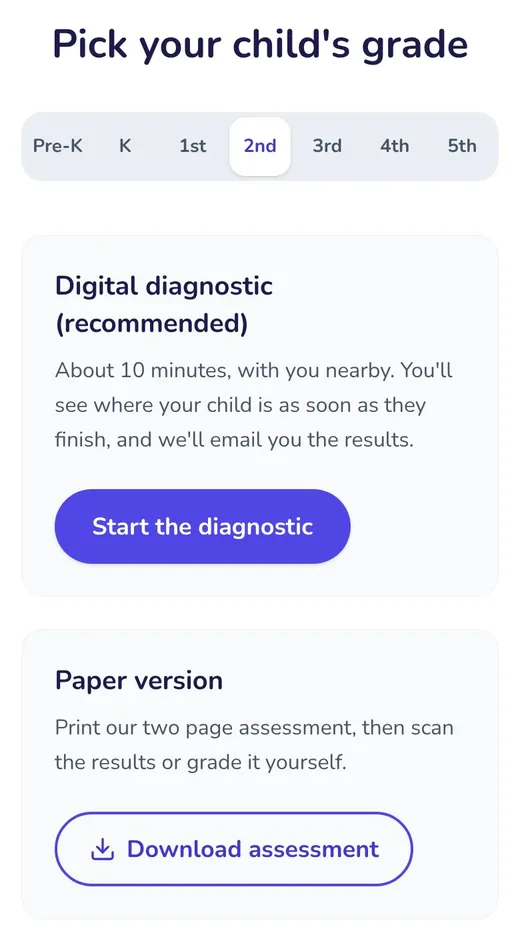
Open our free placement test, pick your child's grade, from Pre-K through 5th, and tap “Download assessment” under Paper version. Print the first two pages, front and back. The last page is the answer key, for you.
Let your child work on their own
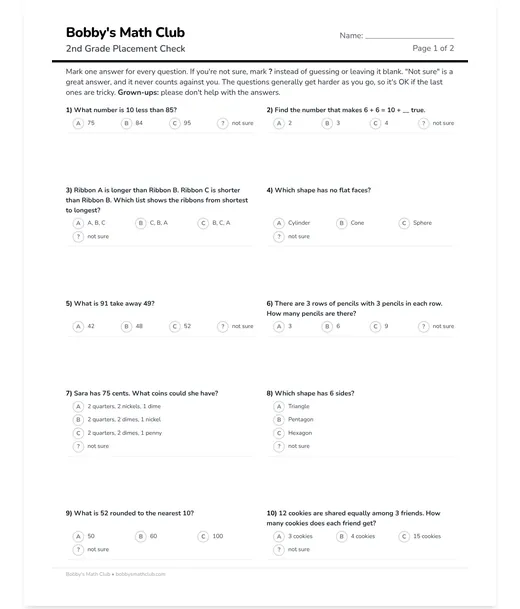
Your child works through the 20 questions with a pencil, choosing “?” for anything they aren't sure of. If your child is in Pre-K or kindergarten, read each question aloud to them.
Scan the QR code on the sheet
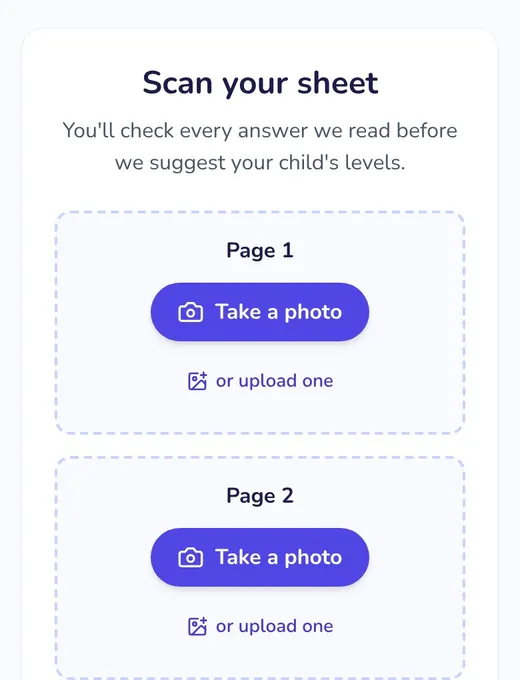
Point your phone's camera at the QR code on the sheet. It opens our scan page. Take a photo of each side, then follow the steps on screen.
See where they start
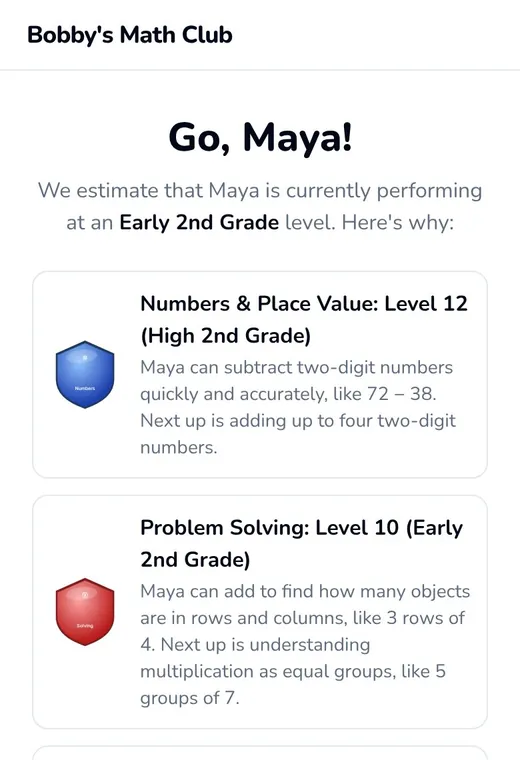
You see your child's level in each area of math, with what they can do now and what comes next. We email you an overview too.
Create a free account (optional)
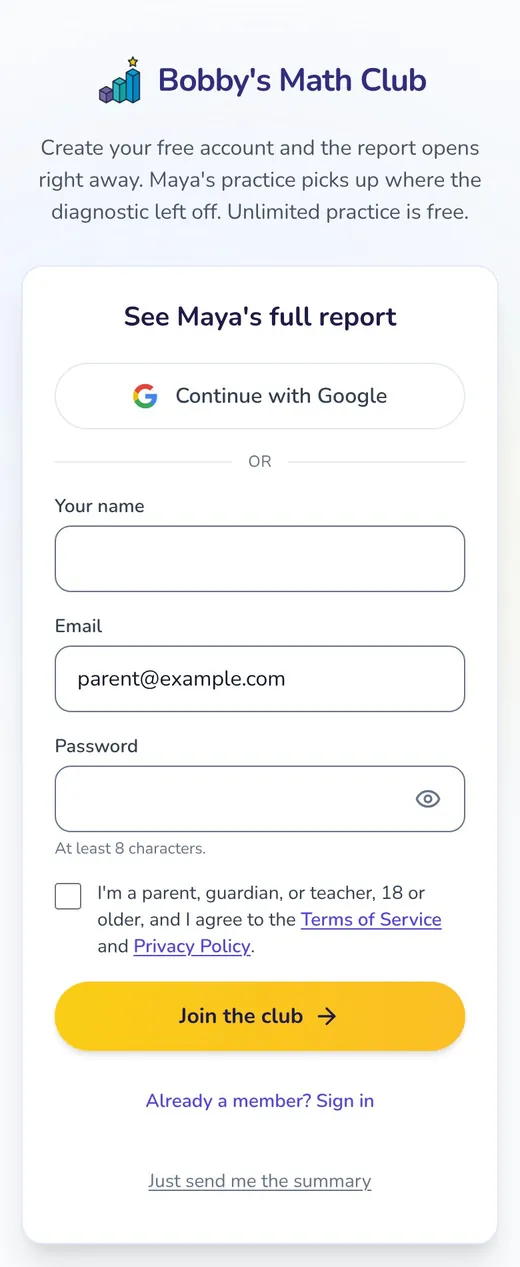
We email you an overview either way. For the detailed progress report, tap “See Maya's full report” (with your child's name) and create your free account. Your child's levels come with you, so their first worksheet starts right where they are.
Already a member? Your parent dashboard has a link to find your child's level on paper, with the same steps.
2. Practice regularly on paper
Frequent practice builds skills and confidence. Each of our worksheets contains just 10 questions, so giving your child a few worksheets per week is plenty.
Print a worksheet
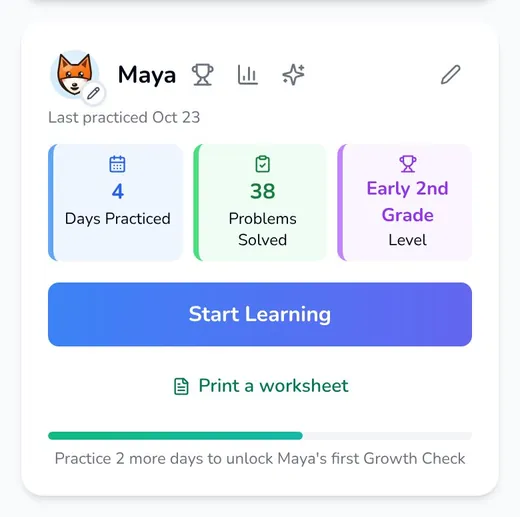
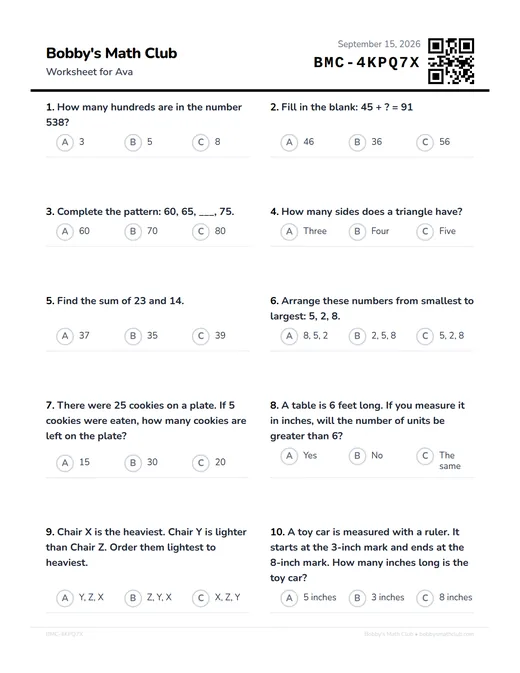
From the parent dashboard, tap the print button on your child's card. Each worksheet has ten problems made for your child, aimed at what they're learning right now. Have more than one child? Print for all of them at once. Not near a printer? Email the worksheets to yourself to print when it's convenient.
Your child solves it with a pencil
Your child fills in a bubble next to each answer, or writes the answers themselves once they can write numbers comfortably. You choose for each child. A fun bonus page prints with each worksheet, like a maze or a dot-to-dot.
Scan the QR code and check
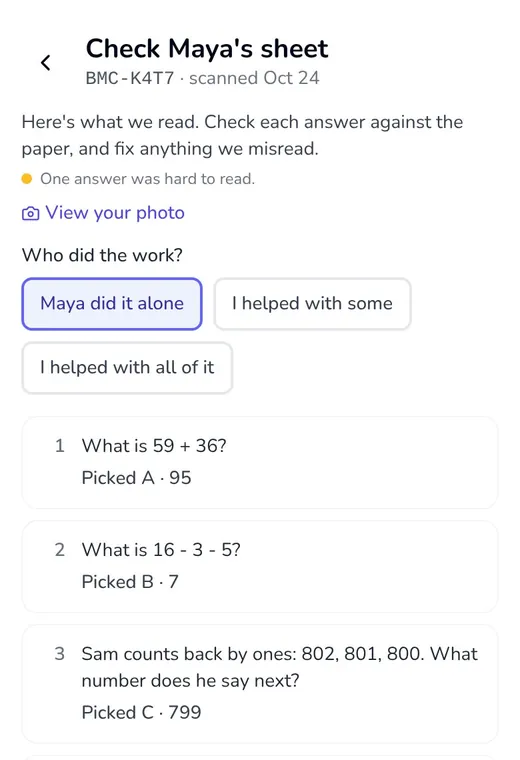
When it's done, point your phone's camera at the QR code in the worksheet's corner. It opens that worksheet in the club, ready for a photo. In a few seconds you see each answer we read. Fix anything we misread, say whether your child did it alone or with some help, and save.
See how it went
Every worksheet you scan and check counts toward your child's levels and days practiced, and the next one is made from what they just showed.
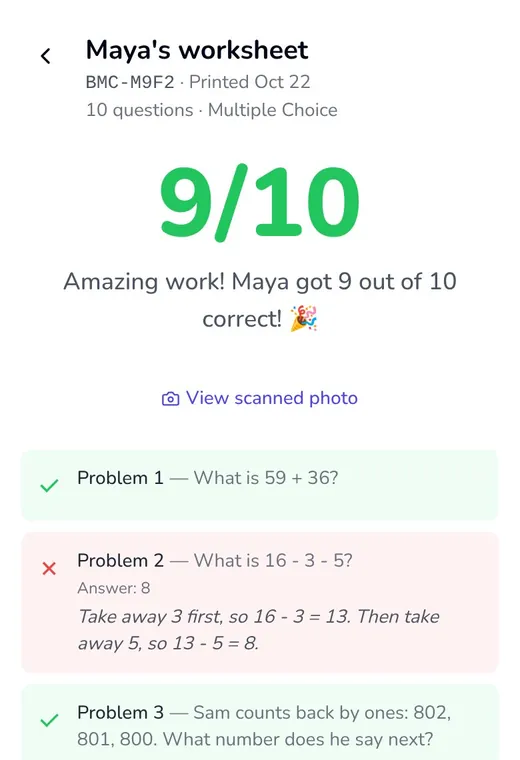
You can print more practice any time, as much or as little as you want. Practice is always adapted to your child's needs.
3. See how far they've come
Growth is worth celebrating. After a few days of practice, your parent dashboard shows when a Growth Check is ready.
Choose paper
Start the Growth Check from the parent dashboard, then tap “Do it on paper”.
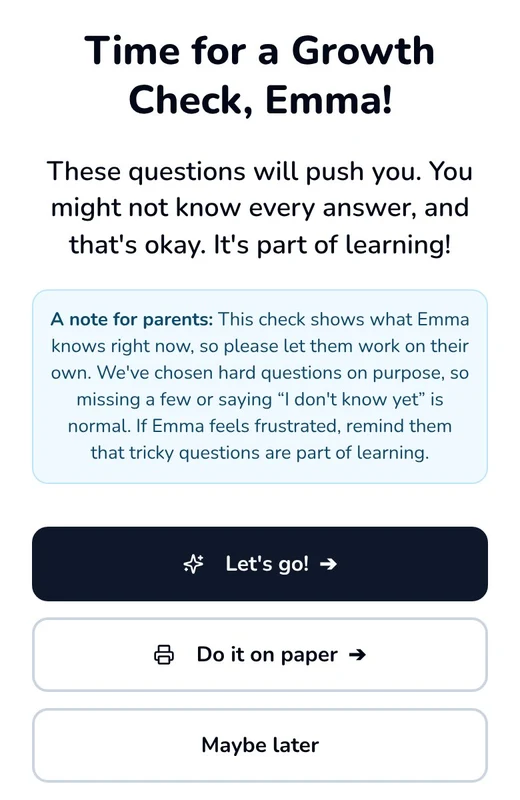
Print, and let them work on their own
The sheet has twenty questions to assess their current levels, on two pages. A best guess is fine if your child gets stuck.
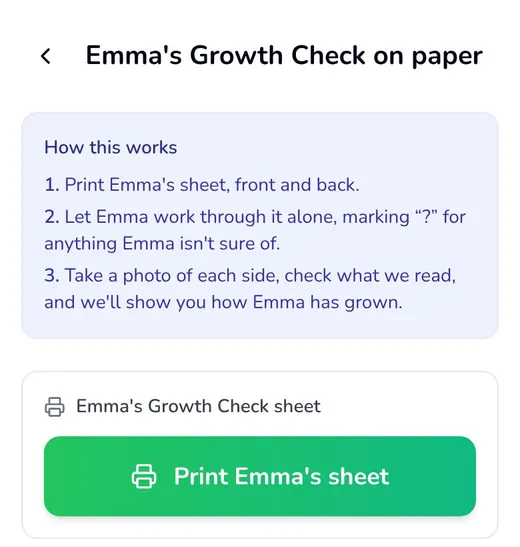
Photograph, check, and celebrate
On the same screen, take a photo of each side and check the answers. When your child is ready, they move up, and you get a Growth Check report by email.
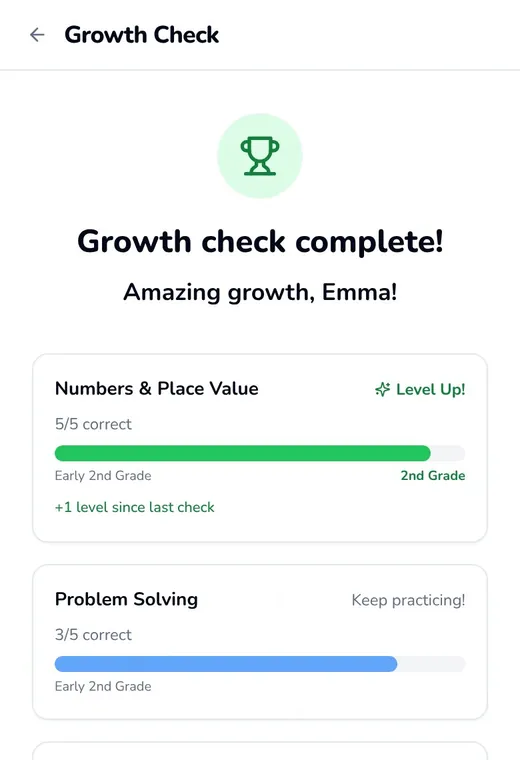
Detailed reporting for parents
This isn't just a worksheet that gets recycled. We'll remember what your child gets wrong and right, so that the next worksheet is tailored to their current needs. And here's what your Parent Dashboard will show:
- Your child's current level in each area of math, accessible any time.
- The number of days they've practiced, problems they've solved, and new skills they've learned.
- Detailed progress reports you can review or share with their teachers.
Anyone you invite to help, like a co-parent, a grandparent or a tutor, can print, scan and check worksheets too. There's more on that in one club for the whole family.
Best practices for parents
A printed worksheet can't read a question aloud, give a hint, or change once it's on your table. That's where you come in, and it doesn't take much.
- Read a practice question aloud if your child asks, or if they aren't reading yet.
- Let them work on their own when finding their level or doing a Growth Check. A best guess is fine.
- Ask “How did you figure that out?” about a right answer as often as a wrong one.
- Look over the worksheet together after you check it, and celebrate the problems they stuck with.
- Mark any problem you helped with when you check the worksheet, so the next one stays just right.
If you have any questions, please don't hesitate to contact me.
Questions parents ask
Does my child ever need to use the screen?
No. You print, photograph and check every worksheet. Your child only needs a pencil.
Do I need an account to start?
No. You can print the free placement test and scan it without one. If you join right after, your child's levels start from it.
Do I need a scanner?
No. Any printer and any phone camera will do. You photograph the page the same way you'd photograph a receipt.
Does paper practice count as much as practice on a screen?
Yes. Every worksheet you scan and check counts toward your child's levels and days practiced, the same as practice in the app.
How often should my child do a worksheet?
We recommend about five minutes of math at a time, and a few days per week is plenty. A worksheet doesn't have to be finished in one go.
Can we mix paper and the app later?
Yes, any time. Paper and the app add up to the same levels, so your child can switch whenever it suits your family.
What happens to the photos?
They're stored privately in your account, seen only by you and anyone you've invited, and deleted 30 days after they're taken. A photo still waiting for you to check its answers stays until you've checked them.
Is it free?
Yes. Unlimited practice is always free, on paper or on screen.